
Ben Crowder

Project calendar

Design, LDS, Productivity, Writing

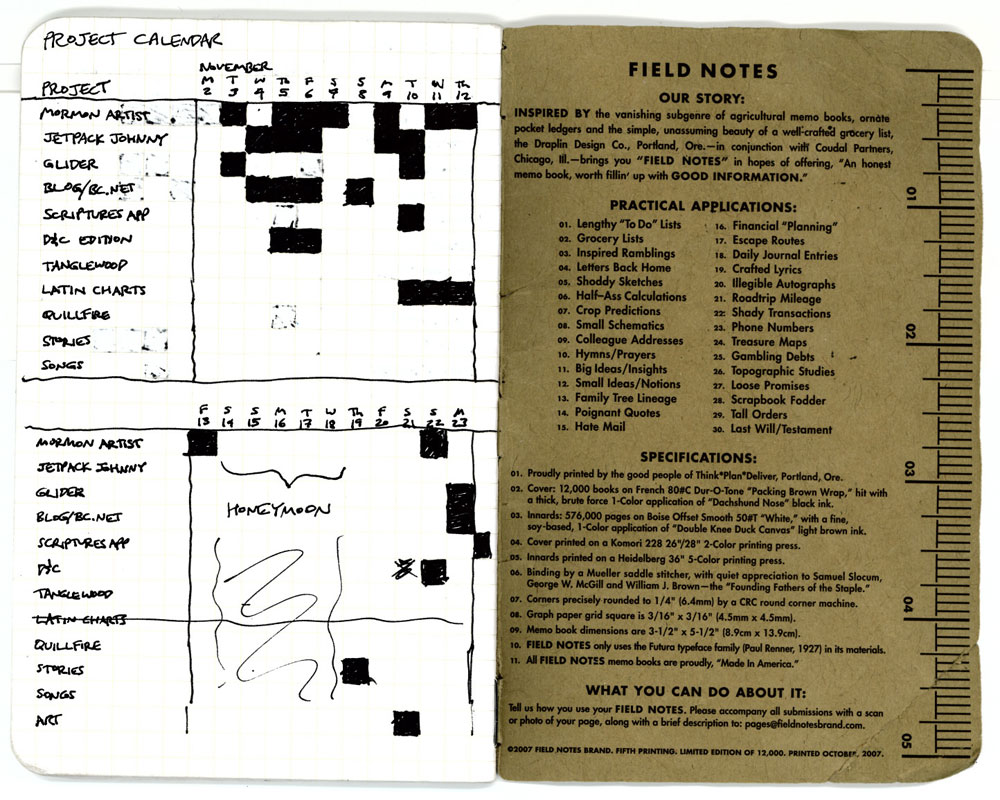
I’m apparently addicted to productivity and having lots of projects. I’m also very, very fond of tracking things. Put the two obsessions together and you get this:

ProjectCalendar01

It’s a project calendar for keeping track of (a) which projects I’m working on and (b) when I’ve worked on them. That way I can easily see where my time is spent and possibly where I need to adjust things. (“Hmm, looks like I’m neglecting my writing. Whoops. Time to fix that.”)

I started out using the back of my Field Notes notebook, since it has a handy grid, but I ran into a problem: when I finish the notebook, I no longer have my project calendar with me.

Enter Google Spreadsheets:
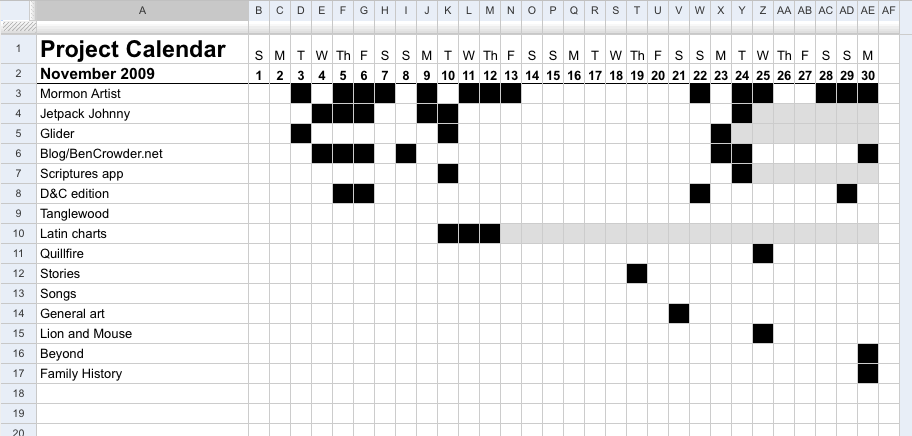
ProjectCalendar02

The grey boxes mean that the project has ended. Each month is its own sheet, which keeps things tidy. (Projects that end don’t need to be on the next month’s sheet.)

And the best part? It’s super easy to maintain. I can just copy and paste the black boxes, and when I start a new month, it only takes a few seconds to clear out the boxes and change the days of the week.

Speaking of tracking things, I forgot to blog about my writing log (which I used to use back when I was writing more frequently):
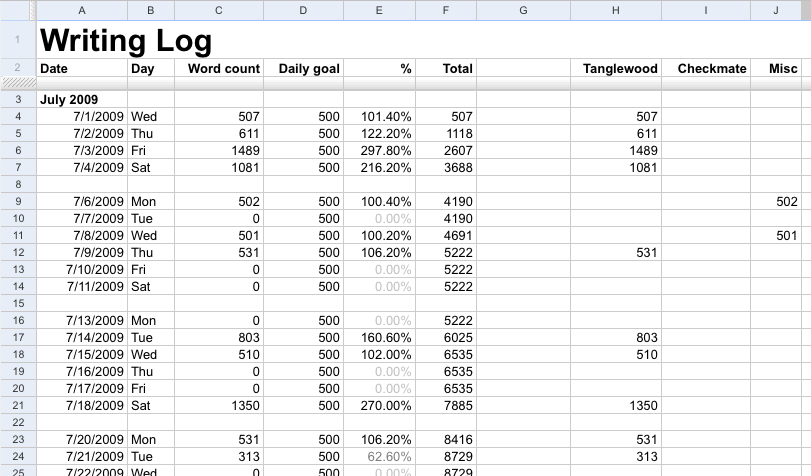
Writing Log

I need to go in and start using that again. (Since, ahem, I’ve been a slacker.) I’m also planning to make a grid-based log for scripture reading and family history and other church-related things I want to do more diligently.

Update: You can now download a Google Docs template of the project tracker.

Another update: There’s now a project page for this.

Comments

Alyssa on Dec 2, 2009 at 11:29 am

I love your use of excel. I love excel. I use it to record how much my 7 week old baby eats and sleeps. I’m a dork. :P It’s how I get my entertainment out of her eating and sleeping.

Craig Janis on Dec 2, 2009 at 2:45 pm

I love this! I’ve been loosely tracking my own projects, but this method seems much more organized and useful than what I’ve been doing.

Ben on Dec 3, 2009 at 2:06 pm

Alyssa: Awesome. :)

Craig: Glad it’s of use. :)

Tammy on Dec 4, 2009 at 9:40 am

Nice! I really like this system. I think I’ll take it up… only I might make my boxes pink. ;) I like how if you worked on a project at all that day, you get to mark the box — that’s a good way to approach it, because I’ve always found that just getting started on a thing is the hardest part. This way if you don’t spend hours on it, no big deal. Thanks for sharing!

Ben on Dec 6, 2009 at 9:25 am

You’re welcome. :) (And yeah, I went with a black-and-white crossword-type look, but there’s no reason you couldn’t use other colors. :))

Wm Morris on Dec 8, 2009 at 8:26 pm

Thanks for the template, Ben. I actually set this up (and hopefully will continue to use it).

The good news is that I’ve been doing a lot with my church calling; the bad news is that there are no black boxes next to Exercise.

[…] began work on a genealogy web app, Beyond; designed a project tracker; started work on a D&C reader’s edition; made a 3D illustration called Jetpack Johnny; […]

Add your two cents

Your comment was submitted and will show up as soon as I approve it. Thanks.
Something went wrong with submitting your comment. Try again, and if it still doesn't work, email me (). Sorry!