Published 15 Mar 2010. Updated 12 Jul 2012 for Blender 2.63.
Introduction
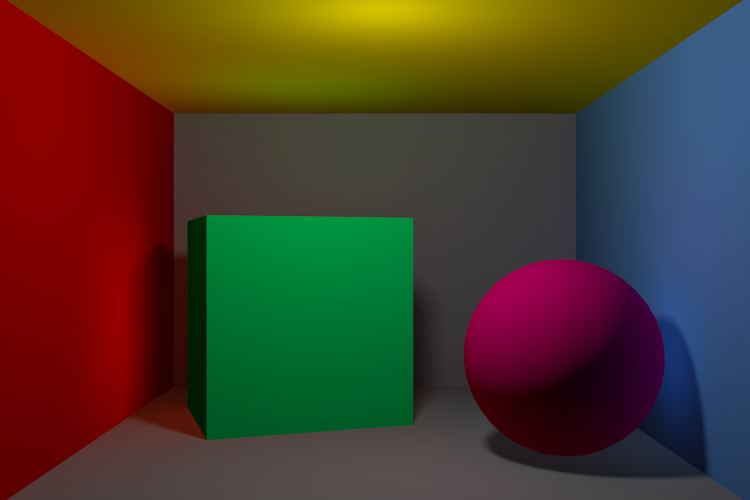
Been wondering how to do indirect lighting in Blender? Here’s how. (P.S. It’s easy.)

Step 1
Go to World and click the checkbox for Indirect Lighting. Set Factor to 25.00. Set Bounces to 3.Turn Factor down if you want less indirect light. 25 is actually a pretty high value, but it makes the results more obvious. Ditto for Bounces, which should normally be 1.
Step 2
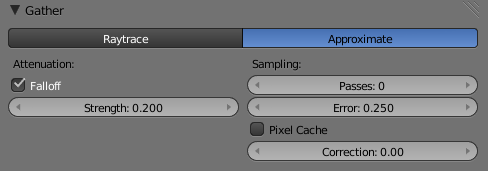
Just underneath Indirect Lighting, there’s a Gather group. Click on the Approximate button. (Raytrace doesn’t work with indirect lighting.) Check Falloff and sets its Strength to 0.200 or so. The lower Strength is, the farther the indirect light will go.
The End.
Further Reading
- Intro to Indirect Lighting (Vimeo)
- Indirect Lighting in Blender 2.5 Alpha 2 (Vimeo)
- Using Indirect Lighting in Blender 2.5 (Cgtuts+)
- Indirect Lighting Blender 2.5 Alpha 1 (Vimeo)
- Indirect Lighting Setup (.blend)
- Sintel’s Cabin, featuring Indirect Lighting! (Durian)